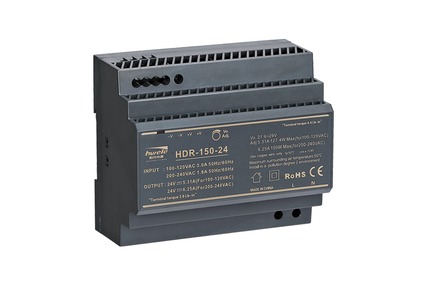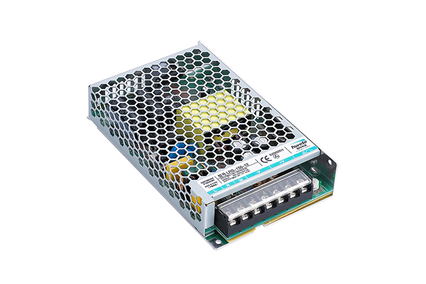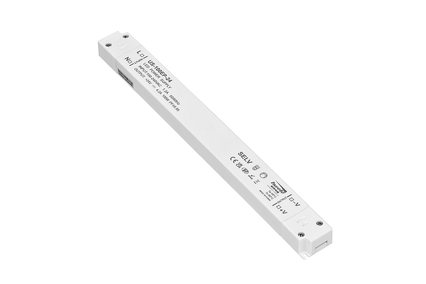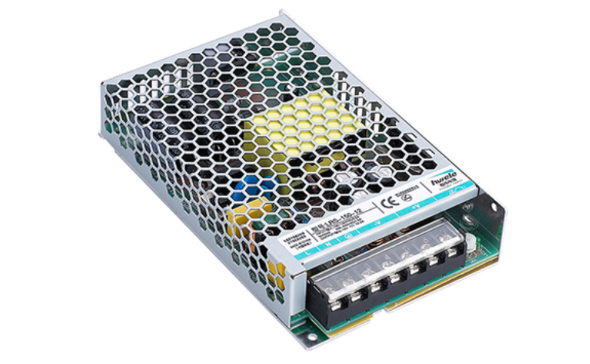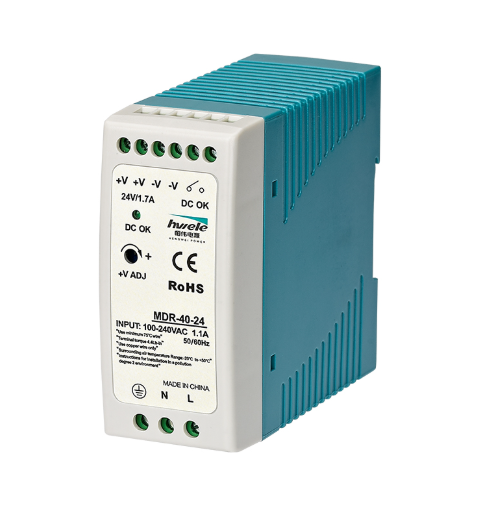


LED lighting systems rely on one critical component — the LED Driver — to provide stable power and ensure long service life. However, when lights flicker, dim, or fail completely, the driver is often the first suspect. Knowing how to test an LED driver with a multimeter helps you identify faults quickly, saving both time and money. In this guide, we’ll walk you through step-by-step methods for testing LED drivers, understanding results, and ensuring your lighting system operates safely and efficiently.

An LED driver is a power supply that regulates the voltage and current delivered to an LED or LED array. Unlike standard light bulbs, LEDs require constant current to operate efficiently without burning out. The LED driver converts AC (alternating current) from the mains into DC (direct current) at a stable level suitable for the LEDs.
Voltage Regulation – Maintains a stable output voltage despite fluctuations in input power.
Current Control – Prevents overcurrent that can damage LED chips.
Protection – Offers overload, over-voltage, and short-circuit protection.
Power Efficiency – Improves LED performance and reduces energy loss.
Symptoms: The LED light flickers, flashes, or changes brightness unexpectedly.
Possible Causes:
Unstable output voltage or current
Excessive ripple or interference
Aging internal capacitors
Loose wiring or poor connections
How to Check:
Use a multimeter to measure DC output voltage; if it fluctuates significantly, the driver is unstable.
For precise testing, use an oscilloscope to check for ripple.
Inspect connectors and wiring for looseness or corrosion.
Next Step:
If the flickering persists even after confirming proper connections, replace the driver — preferably with a HENGWEI LED Driver that offers strong anti-interference and voltage stabilization.
Symptoms: The LED is noticeably dimmer than usual.
Possible Causes:
Reduced driver output voltage or current
Overheating or derating protection
Aging LED modules
How to Check:
Use a multimeter to compare output voltage/current to the rated values printed on the driver.
Test with a known good LED load. If brightness returns, the original LED was faulty.
Next Step:
If output readings are below specification, replace the LED driver or ensure sufficient ventilation for cooling.
Symptoms: The LED does not light up at all.
Possible Causes:
No AC input power
Blown fuse inside the driver
Faulty switching circuit or short-circuit protection triggered
How to Check:
Use a multimeter in AC mode to confirm power at the input terminals (L/N).
If input voltage is normal, but output reads 0V, the driver is likely defective.
Next Step:
Disconnect power immediately and inspect the driver. If damaged, replace it rather than repair — especially for older models.
Symptoms: The driver casing feels excessively hot or shows signs of heat damage.
Possible Causes:
Overloaded LED circuit
Poor ventilation or tight enclosure
Aging internal components
How to Check:
Measure temperature rise during operation.
Ensure the driver is installed in a well-ventilated area.
Next Step:
Overheating shortens lifespan and causes intermittent shutdowns. Upgrade to a high-efficiency driver with strong thermal management like the HENGWEI LED Driver series.
Symptoms: Audible buzzing or humming sound when the light is on.
Possible Causes:
Magnetic components (transformer or inductor) vibrating
Poor-quality capacitors
Loose internal parts
How to Check:
Gently tap the driver casing (power off first) to check for loose components.
Listen for noise changes during dimming or load adjustment.
Next Step:
Noise indicates internal wear or instability. Replacement is recommended before complete failure occurs.
Symptoms: Swollen or leaking electrolytic capacitors inside the driver.
Possible Causes:
Long-term heat exposure
Overvoltage stress
Poor-quality components
How to Check:
Visually inspect after disconnecting power and discharging capacitors.
Advanced users can measure ESR (Equivalent Series Resistance) using a meter.
Next Step:
A bulging capacitor is a clear sign of driver failure — replace the entire unit for long-term reliability rather than attempting partial repair.
Symptoms: You smell burning plastic or see light smoke when powered.
Possible Causes:
Short circuit inside the driver
Component breakdown due to overload
Severe overheating
How to Check:
Immediately power off and inspect for charred components.
Do not reapply power for safety reasons.
Next Step:
This is a serious hazard. Replace the driver immediately and inspect all wiring and connected LEDs for damage.
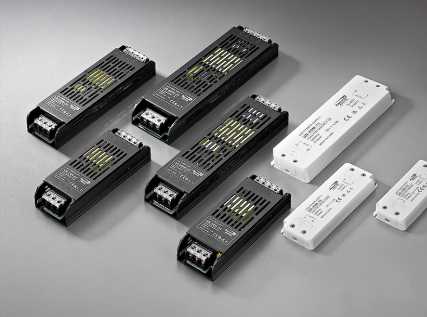
Look for bulging capacitors, scorch marks, melted wires, or a burnt smell.
If physical damage is present, do not power the unit — replace it.
Set the multimeter to AC voltage.
With the driver powered (if safe), measure between L and N.
Expect typical mains voltage in your area (e.g., ~110–120VAC or ~220–240VAC).
If there’s no input voltage, troubleshoot upstream (breaker, switch, wiring) before blaming the driver.
Turn power off, then test with power on if necessary and safe. Set meter to DC voltage.
Probe the driver’s +V and –V output terminals.
Compare the measured voltage to the rated output on the driver label. For a CV driver, it should be very close to the rating.
If the output is zero or wildly off, the driver is likely faulty.
Constant-current drivers regulate current rather than voltage. Measuring current often requires a known load or an in-line ammeter.
Use a known-good LED module or an electronic load, connect it, power the driver, and measure the current with your multimeter set to DC current.
The measured current should match the driver’s rated current (e.g., 350mA). Large deviations indicate driver failure.
Set the multimeter to diode test.
Connect the red probe to the LED’s anode and the black to the cathode.
A good LED will show a forward voltage (typically 1.8–3.3V depending on color) and may glow faintly.
If there’s no reading, the LED may be open-circuit and not the driver’s fault. (Keywords: can I test an LED with a multimeter, how to test an LED with a multimeter)
Testing your LED Driver with a multimeter is a simple yet powerful way to diagnose lighting issues. Whether you’re troubleshooting flickering lights or verifying new installations, understanding how to test an LED driver with a multimeter helps you maintain safe and efficient lighting systems. If your driver shows inconsistent results or failure signs, it’s time to upgrade to a trusted solution. Choose HENGWEI LED Driver — designed for performance, durability, and efficiency.


 Optimized by Seraphinite Accelerator