Our website uses cookies to improve your experience and record usage statistics. By using our site you consent to cookies as described in our Privacy Policy. We take your privacy and data security very seriously and all information collected will be kept strictly confidential.
Installing enclosed power supplies correctly is critical for ensuring the long-term performance and safety of your electrical systems. However, mistakes during installation can lead to issues such as reduced efficiency, increased downtime, and even damage to your equipment. In this guide, we’ll walk you through the five most common installation mistakes and how you can avoid them.
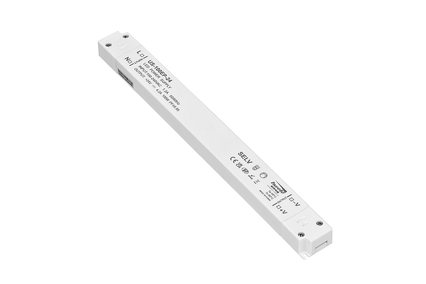
50W Ultra thin Standard Enclosed SMPS Power Supply
Top 5 Common Mistakes When Installing Enclosed Power Supplies and How to Avoid Them
Choosing the Wrong Power Supply for Your Application
One of the most common mistakes is selecting a power supply that doesn’t match the specific needs of your application. Whether you’re powering industrial equipment, electronics, or automation systems, the wrong power supply can lead to inefficiency, overheating, and even system failure.
How to Avoid It:
Understand your load requirements: Make sure the power supply can handle the required voltage, current, and power.
Check the input voltage: Verify that the input voltage of the power supply matches your power source.
Consider the environmental conditions: Choose a power supply with appropriate protection ratings, especially if you’re installing it in harsh environments.
Improper Wiring and Connections
Incorrect wiring or poor connections can cause power interruptions, damage to the components, or even create safety hazards like electrical fires.
How to Avoid It:
Follow wiring diagrams: Always refer to the manufacturer’s wiring diagram to ensure correct connections.
Use the right cables: Ensure cables are rated for the current and voltage to prevent overheating.
Double-check connections: Securely tighten all wiring terminals and connectors to avoid loose connections.
Ignoring Proper Ventilation and Cooling
Enclosed power supplies generate heat during operation, and without proper ventilation, they can overheat, causing damage or reducing their lifespan. Many installations overlook the importance of adequate airflow.
How to Avoid It:
Install in a well-ventilated area: Ensure there’s enough space around the power supply for air to circulate.
Use additional cooling systems: If necessary, install cooling fans or heatsinks to help regulate the temperature.
Monitor temperature: Regularly check the temperature of the power supply to prevent overheating.
Not Following Grounding Requirements
Proper grounding is essential for safety. Failure to ground the power supply correctly can lead to electric shocks, equipment damage, or fire hazards.
How to Avoid It:
Use the ground connection: Always connect the ground terminal of the power supply to an appropriate grounding point.
Check local regulations: Be sure your grounding practices comply with local electrical codes and regulations.
Skipping Regular Maintenance and Inspections
Once your power supply is installed, neglecting routine maintenance and inspections can lead to undetected issues like wear and tear, corrosion, or dust buildup, which can affect performance.
How to Avoid It:
Perform regular inspections: Check the power supply for any signs of damage, overheating, or dust accumulation.
Clean the unit: Periodically clean the power supply to remove dust and debris that may obstruct airflow.
Schedule professional maintenance: Have a professional check the system periodically to ensure everything is functioning properly.
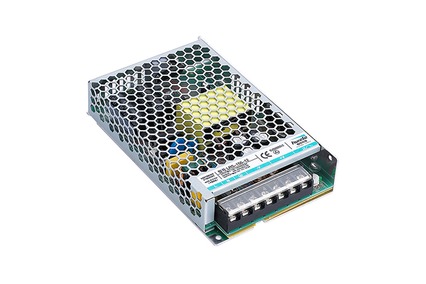
350W Ultra thin Switch Mode Power Supply For Laser Marking
FAQs
Q:How do I choose the right enclosed power supply for my system?
Consider your load requirements, the input voltage, and environmental factors. It’s crucial to select a power supply that meets the voltage, current, and protection standards for your specific application.
Q:What should I do if the power supply overheats?
Ensure that the unit is in a well-ventilated area. If overheating persists, consider adding a cooling fan or heat sink, or switch to a higher-rated power supply.
Q: How often should I inspect my enclosed power supply?
It’s recommended to inspect the power supply at least every 6-12 months for signs of wear, corrosion, or damage. Regular maintenance can help extend the lifespan of the unit.
Q:What are the most common causes of power supply failure?
Overheating, improper wiring, poor ventilation, and failure to follow grounding requirements are some of the most common causes of power supply failure.
Conclusion
Installing enclosed power supplies properly is essential for ensuring their efficiency, safety, and longevity. By avoiding the common mistakes outlined above, you can maximize the performance of your system and avoid costly repairs or downtime. At Hwele, we offer high-quality, durable enclosed power supplies designed for both safety and performance. Contact us today to find the perfect solution for your needs.





 Optimized by Seraphinite Accelerator